
How Do I Request an Ergonomic Assessment at Work?
Have you been wondering, “How do I request an ergonomic assessment at work?” If you’re experiencing back pain, neck stiffness, sore wrists, headaches, or general discomfort while working at a desk, you’re not alone. Thousands of UK employees experience discomfort caused by poorly designed workstations or prolonged screen use.
The good news is that requesting an ergonomic assessment is usually straightforward, and it could make a significant difference to your comfort, wellbeing and productivity.
In this guide, we’ll explain exactly how to request an ergonomic assessment at work, what your employer’s responsibilities are, what happens during the assessment, and how a professional DSE workstation assessment can help you work more comfortably and safely.
What Is an Ergonomic Assessment?
An ergonomic assessment, also known as a DSE workstation assessment, is a structured review of your workstation to ensure it is set up correctly for your body and the work you do. It’s often the first step when people begin asking how do I request an ergonomic assessment at work, because understanding what the assessment involves makes the process feel straightforward and easy to approach.
The assessment looks at factors such as:
- Chair adjustment
- Desk height
- Monitor position
- Keyboard and mouse placement
- Screen glare and lighting
- Foot support
- Working posture
- Working habits and movement
- Home or office workstation setup

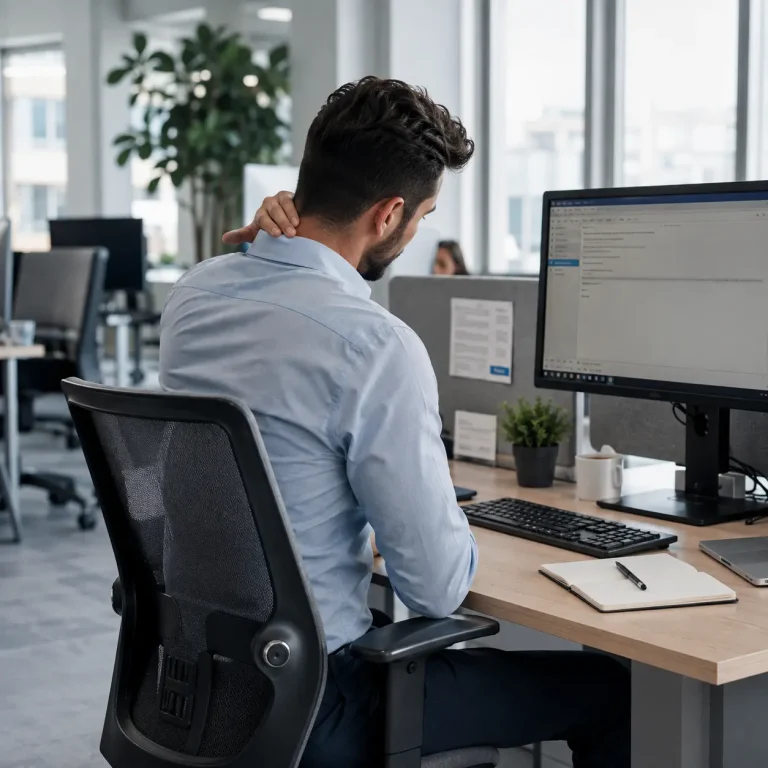
Can Employees Request an Ergonomic Assessment?
Yes.
If your role involves regular use of a computer or other display screen equipment, you can ask your employer for a workstation assessment.
Many organisations already have a process in place through HR, Health & Safety, Facilities, or Occupational Health. If you’re unsure, start by speaking with your line manager.
Even if you’re working remotely or from home, you can still request an assessment.
When Should You Request an Ergonomic Assessment?
Don’t wait until you’re in significant pain.
You should consider requesting an assessment if you experience:
- Neck pain
- Shoulder pain
- Upper or lower back pain
- Wrist discomfort
- Arm pain
- Tingling or numbness
- Frequent headaches
- Eye strain
- Poor posture while working
- Discomfort after long periods at your desk
You should also request one if:
- You’ve recently started a new job.
- You’ve moved to a different workstation.
- You’re working from home.
- You’re pregnant.
- You have an existing medical condition that affects your posture or mobility.
- You’ve received new equipment.
Early intervention is always better than waiting for a small issue to become a long‑term problem. Many people start exploring how do I request an ergonomic assessment at work as soon as they notice early signs of discomfort, because acting sooner often prevents those small aches from developing into something more persistent. It’s a simple step that can make your working day feel noticeably easier and more comfortable.
How Do I Request an Ergonomic Assessment at Work?
The process is usually simple.
Step 1: Speak to Your Line Manager
Tell your manager you’re experiencing discomfort or would like your workstation reviewed.
You don’t need to wait until the problem becomes severe.
A simple conversation is often enough to begin the process.
Step 2: Explain Why You’re Requesting One
Briefly explain what’s happening.
For example:
“I’ve been experiencing neck and shoulder pain after working at my desk.”
or
“I’d like to request a workstation assessment to make sure my setup is correct.”
Being clear helps your employer understand why an assessment is appropriate.
Step 3: Follow Your Company’s Process
Every organisation is different.
Your employer may ask you to:
- Complete a DSE self-assessment
- Submit a request through HR
- Contact Occupational Health
- Speak with the Health & Safety team
- Book an assessment through an external provider
Many organisations now use online DSE assessment systems followed by professional ergonomic support where required.
Step 4: Attend the Assessment
A trained assessor will review your workstation and discuss:
- Your working pattern
- Your posture
- Any discomfort you’re experiencing
- Your equipment
- Possible improvements
The assessment isn’t about judging how you work—it’s about helping you work more comfortably and safely.
Step 5: Follow the Recommendations
Following the assessment, you may receive recommendations such as:
- Adjusting your chair correctly
- Raising or lowering your monitor
- Using a footrest
- Adding a document holder
- Using an ergonomic keyboard or mouse
- Taking regular movement breaks
- Improving desk layout
Sometimes, simple adjustments can make a significant difference without requiring expensive equipment. Many people notice improvements within a day or two once their setup is corrected. A small change in height or position can ease tension that has been building for months. It helps to try each recommendation one at a time so you can feel what works best for your body. The goal is steady comfort throughout your working day, not a perfect posture that feels forced.
What If You Work From Home?
Home workers have the same need for safe workstation setups as office-based employees.
If you regularly use display screen equipment from home, ask your employer whether they provide home workstation assessments.
Many organisations now offer online DSE assessments that allow remote workers to receive personalised advice without visiting the office.
What Happens During an Ergonomic Assessment?
People often worry they will be tested or criticised. In reality, the assessment is supportive and practical, and most people feel relieved once it begins. Many employees start thinking about how do I request an ergonomic assessment at work because they want clarity rather than judgement, and the process is designed exactly for that.
Typically, the assessor will:
- Review your workstation setup
- Observe your posture
- Ask about discomfort
- Assess your chair and desk
- Review monitor height
- Check keyboard and mouse positioning
- Discuss your daily work routine
- Recommend practical improvements
Most assessments take between 20 and 45 minutes depending on complexity.

What If Your Employer Doesn’t Have a Process?
Not every organisation has a formal ergonomic assessment procedure.
If that’s the case:
- Speak with HR.
- Contact your Health & Safety representative.
- Ask whether an external DSE assessment provider can assist.
- Explain the benefits of preventing discomfort before it becomes a larger issue.
Many employers choose to outsource workstation assessments because it provides independent, professional advice and helps support compliance with workplace health and safety responsibilities.
Does UK Law Require Ergonomic Assessments?
In the UK, employers have responsibilities under the Health and Safety Display Screen Equipment Regulations to protect employees who regularly use display screen equipment. These duties are often what prompt people to ask how do I request an ergonomic assessment at work, because the regulations make it clear that employers must take workstation safety seriously.
This generally includes assessing workstations, reducing identified risks, providing appropriate information and training, and reviewing workstations when circumstances change. When employees understand these responsibilities, it becomes easier to feel confident about raising the question of how do I request an ergonomic assessment at work, knowing the request is fully supported by UK law.
The purpose isn’t simply legal compliance. It’s about creating healthier, safer and more productive workplaces where people feel comfortable and able to work without unnecessary strain. When someone begins exploring how do I request an ergonomic assessment at work, it’s usually because they want to work in an environment that supports long‑term wellbeing rather than reacting only when discomfort becomes severe.
Why Requesting an Assessment Benefits Everyone
An ergonomic assessment doesn’t just help employees.
It also helps employers by:
- Reducing sickness absence
- Improving productivity
- Supporting employee wellbeing
- Reducing discomfort-related complaints
- Encouraging healthier working habits
- Demonstrating a proactive approach to workplace health and safety
A comfortable employee is often a more productive employee.
Email Template: Requesting an Ergonomic Assessment
If you’re unsure what to say, here’s a simple example.
Hi [Manager’s Name],
I’ve recently been experiencing some discomfort while working at my workstation and would like to request an ergonomic (DSE) assessment to ensure my workstation is set up correctly.
I’d appreciate your guidance on the next steps and whether this can be arranged.
Thank you.
Common Myths About Ergonomic Assessments
I need to be in pain before asking.
They're only for office workers.
I'll automatically get expensive equipment.
Requesting one will make me look like I'm complaining.
Why Choose VergoUK?
At VergoUK, we help organisations across the UK create safer, healthier and more comfortable workstations through professional DSE workstation assessments. Our approach is practical, supportive and designed to make every working environment feel easier and more comfortable for the people who use it. Many employees come to us after searching how do I request an ergonomic assessment at work, and we make the process clear and straightforward from the very beginning.
Whether your employees work in an office, remotely or in a hybrid setting, our assessments identify risks, offer clear recommendations and support full compliance with UK DSE requirements. Everything is explained in a way that feels straightforward and easy to act on, which is especially helpful for anyone wondering how do I request an ergonomic assessment at work and wanting reassurance that the process is simple and fully supported.
Our service includes professional DSE workstation assessments, home worker assessments, office workstation assessments, online DSE assessments, practical ergonomic recommendations, easy‑to‑understand reporting and support for employers and employees across the UK, all delivered in line with HSE regulations to ensure full compliance and safer working environments.
We focus on improvements that genuinely reduce discomfort and encourage healthier working habits. Even small changes can make a noticeable difference when they are applied consistently.
If you are an employer looking to protect your workforce or an employee who wants to improve their workstation, our team is ready to help.
Request a DSE workstation assessment today and discover how small adjustments can make a big difference to workplace comfort, wellbeing and productivity.
Knowing how to request an ergonomic assessment at work is the first step towards creating a healthier, more comfortable working environment.
Whether you’re experiencing discomfort or simply want to ensure your workstation is set up correctly, requesting an assessment is a positive and proactive decision.
If your organisation is looking for professional, reliable DSE workstation assessments, VergoUK provides expert support to businesses across the UK, helping employers create safer workspaces while supporting employee wellbeing and compliance.
Don’t wait until discomfort affects your work. Take the first step today.

Frequently Asked Questions
Can I request an ergonomic assessment if I work from home?
How long does an ergonomic assessment take?
Will I automatically receive ergonomic equipment?
Who carries out an ergonomic assessment?